Tsallake zuwa abun ciki
Kayan aikin sarrafa kansu, isarwa a ko’ina cikin duniya
Tsallaka zuwa bayanin kaya
1 na 3

SKU:T9110

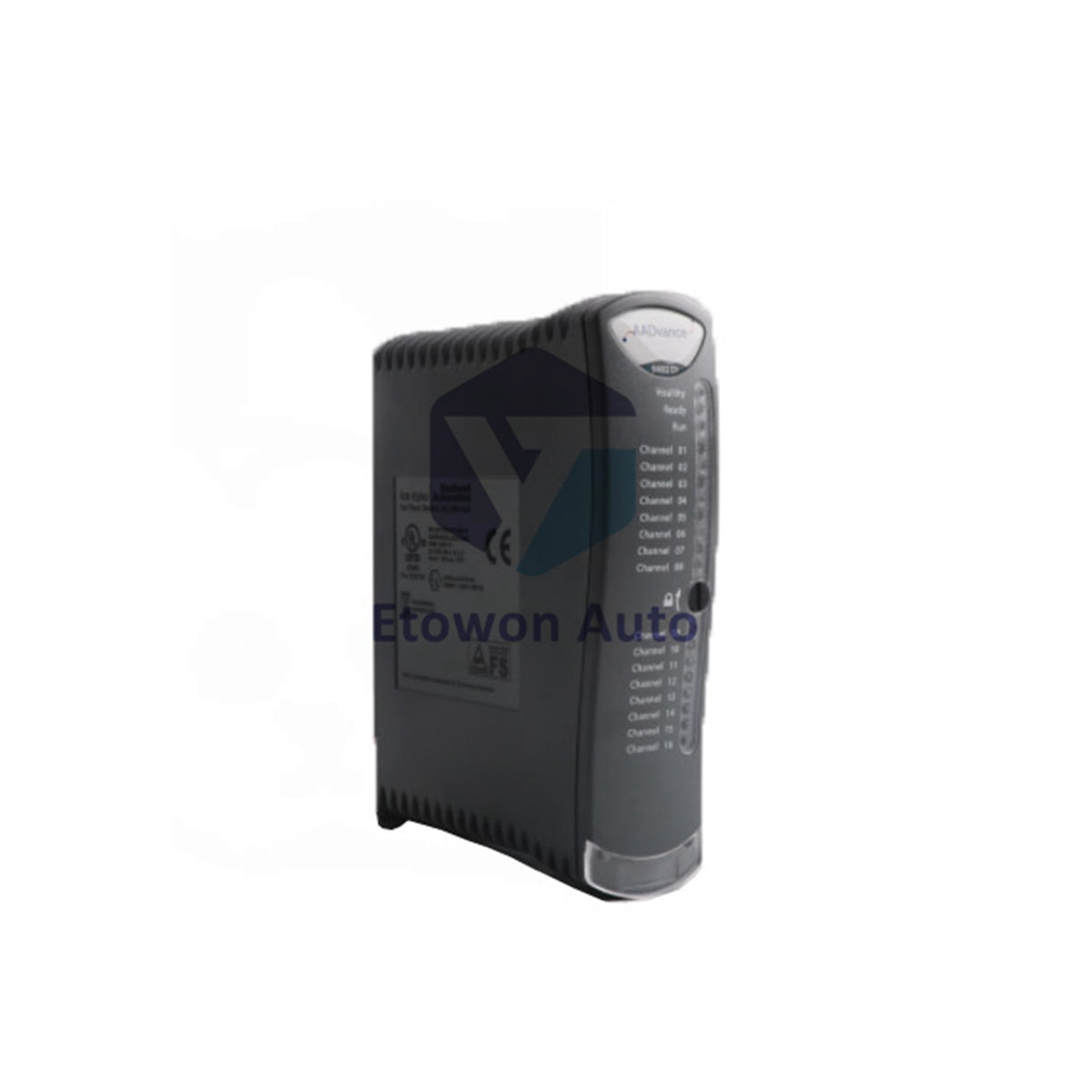
ICS Triplex T9110 Processor Module TMR Controller

Ragowar raka'a 5 kaɗai
  • Manufacturer: ICS Triplex

  • Product No.: T9110

  • Product Type: Processor Module

  • Product Origin: USA

  • Payment:T/T, Western Union

  • Weight: 430g

  • Shipping port: Xiamen

  • Warranty: 12 months

Dokar Mayar da Kaya na Kwanaki 30 · Garantin Watanni 12
  • Isarwa Cikin Gaggawa
  • Tallafi na awa 24 a rana, kwana 7 a mako
  • Tabbacin Inganci

Bayani

Product Overview

The ICS Triplex T9110 is the processor module for the Trusted TMR controller chassis. It executes the safety application with full triple-modular redundancy, ensuring fail‑safe operation for SIL 3 systems. Comprehensive status indicators (Ready, Run, System Healthy, Force, Aux, Serial, Ethernet, Healthy) provide real‑time diagnostics. The T9110 supports recovery mode, application loading, and synchronisation with partner modules in multi‑processor configurations.

Core Advantages

Full TMR Architecture

Triplicated processing with 2‑out‑of‑3 voting. The module must be educated and synchronised with its partners before entering operational Run state. Firmware builds must match across all processor modules in the chassis.

Comprehensive Status Monitoring

Eight LED indicators provide granular diagnostics: Ready (boot/education/sync), Run (application active), System Healthy (fault detection), Force (variable lock/force), Aux (application control), Serial 1/2 (communication activity), Ethernet 1/2 (link/activity), and Healthy (module health).

Recovery & Shutdown States

The module supports Recovery Mode for firmware updates and troubleshooting. Shutdown state is indicated by Healthy GREEN with Ready and Run both RED.

Specifications

Parameter Value
Supply Voltage 18–32 Vdc
Maximum Current 380 mA
Power Consumption 8.0 W
Heat Dissipation 8.0 W (27.3 BTU/hr)
Architecture TMR (triplicated)
Mounting T9100 processor base unit with coding pegs
Back‑up Battery BR2032 lithium coin (T9905)
Battery Voltage / Capacity 3 V / 190 mAh
RTC Setting Manual via Dictionary variables
Operating Temperature 60 °C max
Certifications ATEX, IECEx, HazLoc, Ordinary Location
Weight 430 g

Installation Tips

Pre‑Installation Checks

Examine the module for damage before insertion. Record the label details (location and firmware build) as they will be hidden after installation. Ensure all processor modules in the chassis share the identical firmware build.

Mounting Procedure

Align the coding pegs on the T9100 base unit with the sockets on the module rear. Place the module onto the pegs, ensure the locking screw slot is vertical, and push fully home. Turn the locking screw clockwise with a 9mm flat blade screwdriver to secure.

Battery Replacement

Use official Rockwell Automation T9905 or equivalent BR2032 lithium coin battery (Panasonic recommended). Nominal 3 V, 190 mAh, operating -30 °C to +80 °C.

RTC Manual Setting

For single‑controller systems without a time server, set the real‑time clock using RTC Control variables in the Dictionary (RTC_Read, RTC_Write, Year, Month, Day, Hours, Minutes, Seconds, Milliseconds).

Why Choose T9110?

Delivers trusted TMR processing in a compact 430 g package. The extensive LED status suite enables rapid fault diagnosis without external tools. Supports recovery mode for safe firmware updates and troubleshooting. The manual RTC setting provides flexibility for standalone installations. Rated for 60 °C ambient operation and certified for hazardous areas, the T9110 is the core of ICS Triplex Trusted safety systems worldwide.

FAQs

Q1: What does Healthy GREEN with Ready and Run both RED indicate?
A1: This indicates the module is in the shutdown state. The application has stopped, and the module is not executing safety logic. Check for faults or recovery mode activation.

Q2: Why must all processor modules have the same firmware build?
A2: TMR operation requires identical firmware across all three processor modules to ensure synchronised execution and consistent voting behaviour. Mismatched builds will prevent education and synchronisation.

Q3: How do I set the real‑time clock manually?
A3: Use the RTC Control variables in the Dictionary. Set RTC_Write to TRUE, then populate Year, Month, Day of Month, Hours, Minutes, Seconds, and Milliseconds with the desired values. The module updates the RTC accordingly.

Sikeli (V/f)

Vector

mai amfani da wutar AC

  • Tabbatar da ainihin samfurin, lambar ɓangare, da ƙayyadaddun bayanai kafin yin oda.
  • Tabbatar da jituwa da injin ko tsarin kula da kake amfani da su a yanzu.
  • Tuntuɓe mu ta sale@etowonauto.com ko +8617859788089 don taimakon fasaha.
  • Duba zaɓuɓɓukan isarwa, lokacin jagora, da buƙatun jigilar kaya.
  • Bi umarnin masana’anta da mafi kyawun hanyoyin aiki yayin girkawa.

Kayayyakin da ke cikin sito yawanci ana tura su a cikin wannan ranar aikin. Ga kayayyakin da ba sa cikin sito a yanzu, lokacin tura su na iya bambanta bisa ga samuwa. Ana ba da jigilar kaya zuwa ƙasashen waje, kuma ana ƙididdige kuɗin jigila bisa wurin da ake aikawa, nauyi, da kamfanin sufuri da aka zaɓa.

Ana karɓar mayar da kaya cikin kwanaki 30 bayan karɓa, muddin kayan ba a yi amfani da su ba kuma suna cikin yanayin da suka fito daga masana’anta. Kuɗin jigilar mayar da kaya nauyi ne a kan abokin ciniki. Da fatan za a tuntube mu kafin ku mayar da duk wani kaya domin samun izinin mayarwa.

Don ƙarin bayani, don Allah ku duba Manufar Jigila & Mayar da Kaya.

Duba bayanin samfur

TABBTAR DA INGANTACCEN AIKIN NA'URORI

Canza gidanka da sabbin hanyoyin na’urorin lantarki masu yawa, daga hasken wuta mai hankali zuwa inganta ayyukanka da Bently Nevada 3500 Monitoring System, wanda ke ba da sa ido a ainihin lokaci kan girgiza da yanayin na’urorin injina don hana gazawa da ƙara lokacin aiki, da na’urorin da ake sarrafa su da murya duk an ƙera su ne don sauƙaƙa rayuwa, ƙara tsaro, da ƙarfafa haɗin kai.